 VIVI PAY APP GUIDE
1 USDT ≈ 109 IToken*
Vivi Pay India Guide for Login, IToken, USDT & UPI
Learn how the Vivi Pay interface presents IToken buying and selling, USDT conversion, UPI order tools, displayed rewards and account features—without hunting through multiple pages.
*Displayed values can change. Check the current platform information before making a transaction.
Displayed rate
109 IToken
for 1 USDT*
Displayed reward
3.5%
check current terms*
VIVI PAY FEATURES
Understand the app before you open it
Explore the main Vivi Pay interface areas, including IToken, USDT and UPI-related tools, with clear explanations for visitors in India.
IToken Wallet
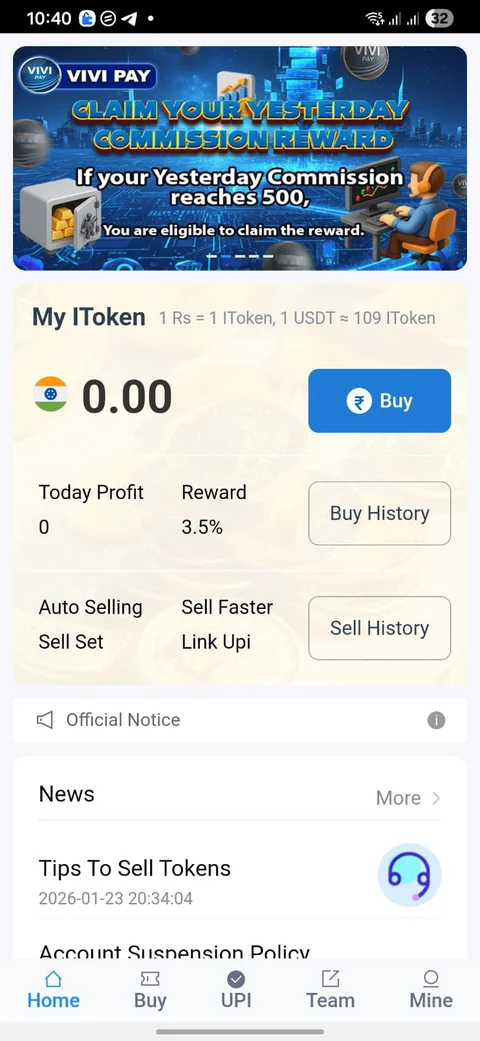
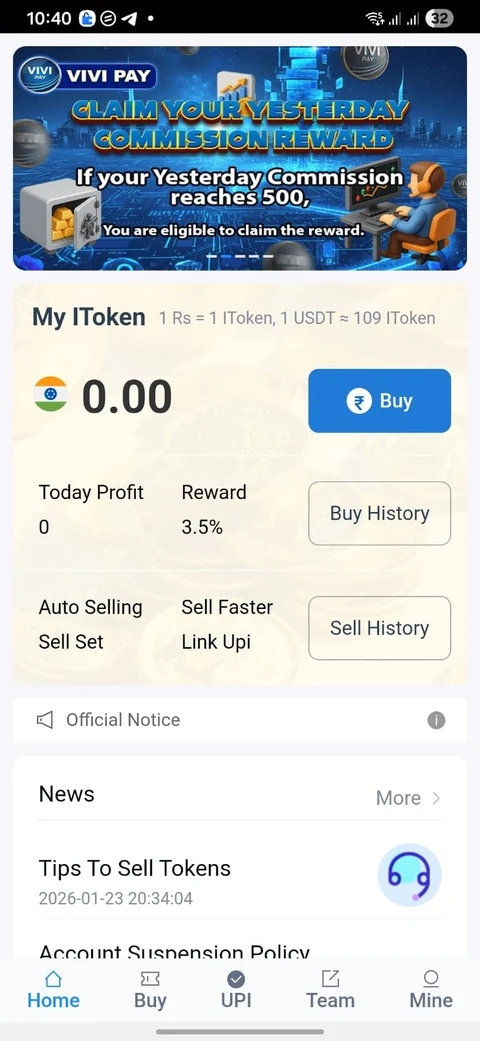
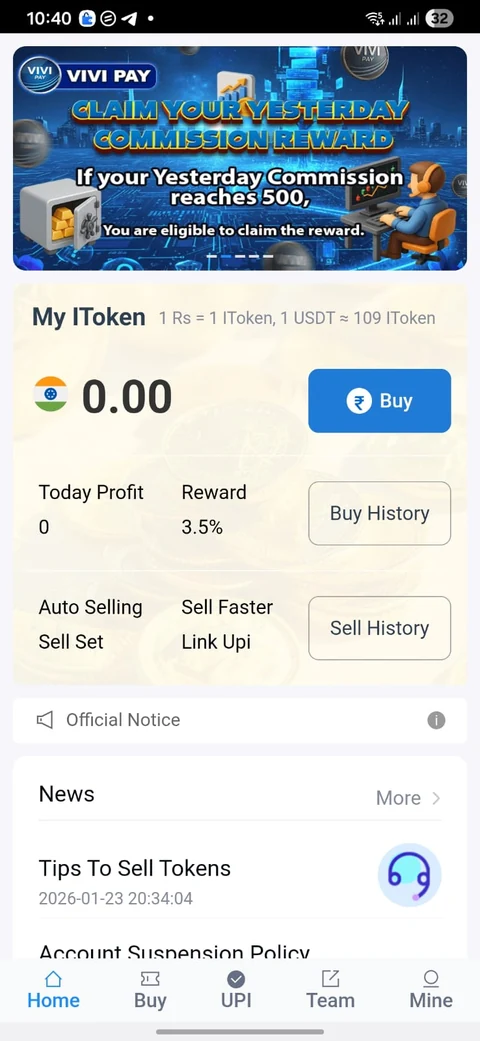
Review IToken balance, displayed profit or reward information and transaction-related tools from one dashboard.
USDT Conversion
Estimate USDT to IToken value using the current rate configured on this website.
UPI Order Tools
The interface includes UPI-related buying and selling options used in the app's order workflow.
Reward Display
Review the reward percentage shown by the interface and verify the latest eligibility terms on the live platform.
USDT TO ITOKEN CALCULATOR
Estimate USDT to IToken
Enter a USDT amount to estimate its IToken value using the website's configured rate. The calculator is informational and updates instantly.
1 USDTInput asset
109 ITokenDisplayed rate*
LiveCalculator result
USDT → ITOKEN
Exchange Calculator
USDT
10,900
IToken
Displayed rate1 USDT109 IToken*
HOW IT WORKS
A simple four-step overview
The exact order flow may vary. Always follow the current instructions shown inside the app.
+
Open or Register
Use the app-access button to open the current registration destination.
IT
Choose a Tool
Open the available IToken, USDT or UPI-related section.
UPI
Review the Order
Check the displayed amount, payment instructions and current terms before proceeding.
✓
Track Activity
Use account and history screens to review the status shown by the platform.
VIVI PAY SCREENSHOTS
See the actual interface
Preview the Vivi Pay Home, Buy and Profile areas so you can recognize the main interface before opening the live platform.
01
Home Dashboard
IToken balance, rewards, activity shortcuts and selling-related tools.
02
Buy & Order Tools
UPI and USDT-related buying options as shown in the supplied app screen.
03
Profile & Support
Account information, history, security, tutorial and service shortcuts.
VIVI PAY GUIDE
What should a new user check first?
Start by reviewing the displayed USDT/IToken rate, the amount shown on the order, the payment method and the account section. Because exchange rates and reward terms can change, treat the figures on this page as a snapshot rather than a permanent promise.
The app screenshots on this page are useful for recognizing the Home, Buy and Profile areas. If the live interface differs, follow the current in-app instructions rather than relying on an older screenshot.
VIVI PAY HELP CENTER
Choose the guide for what you need
Focused pages answer common Vivi Pay searches without mixing login, registration, rates and security into one long explanation.
ACCOUNT ACCESS
Vivi Pay Login Guide
Open the current access page, troubleshoot common sign-in issues and protect account credentials.
Read login guide →NEW ACCOUNTVivi Pay Register Guide
Review the registration flow, first account checks and what to verify before submitting details.
Read register guide →USDT • ITOKENUSDT Rate Guide
Understand the displayed 109 IToken reference, calculator and checks to make before an order.
Read rate guide →SECURITYSafety Checklist
Protect OTPs, PINs and passwords; verify domains and review transaction details carefully.
Read safety guide →ABOUTAbout this Vivi Pay Guide
See what vivipay.co.in covers, how changing information is handled and what the site is for.
About the site →SUPPORT DIRECTIONContact & Help
Understand when this website can help and when an account issue needs the live platform's support.
View contact guide →
VIVI PAY FAQ
Frequently searched questions
Short answers to the questions visitors commonly need before using an app like this.
This website currently displays approximately 109 IToken for 1 USDT. Verify the current rate in the platform because values can change.
Use any Register or Open Vivi Pay button on this website, then verify the destination shown in your browser before entering account details.
It is a reward percentage displayed by the interface represented on this guide. Eligibility and current terms should be verified on the live platform.
No. This is a promotional and informational website. The actual app controls its own account, order and payment workflow.
VIVI PAY ACCESS
Ready to view the app?
Use the current registration link or join the Telegram channel.